monclubvideo

All your Jellyfin servers,
one library.

An independent app for watching your films and series on Android TV and on your phone. It brings several Jellyfin servers together in one library, and sends nothing anywhere else.

Download Version 0.5.0
Android 8.0 and later, TV or phone

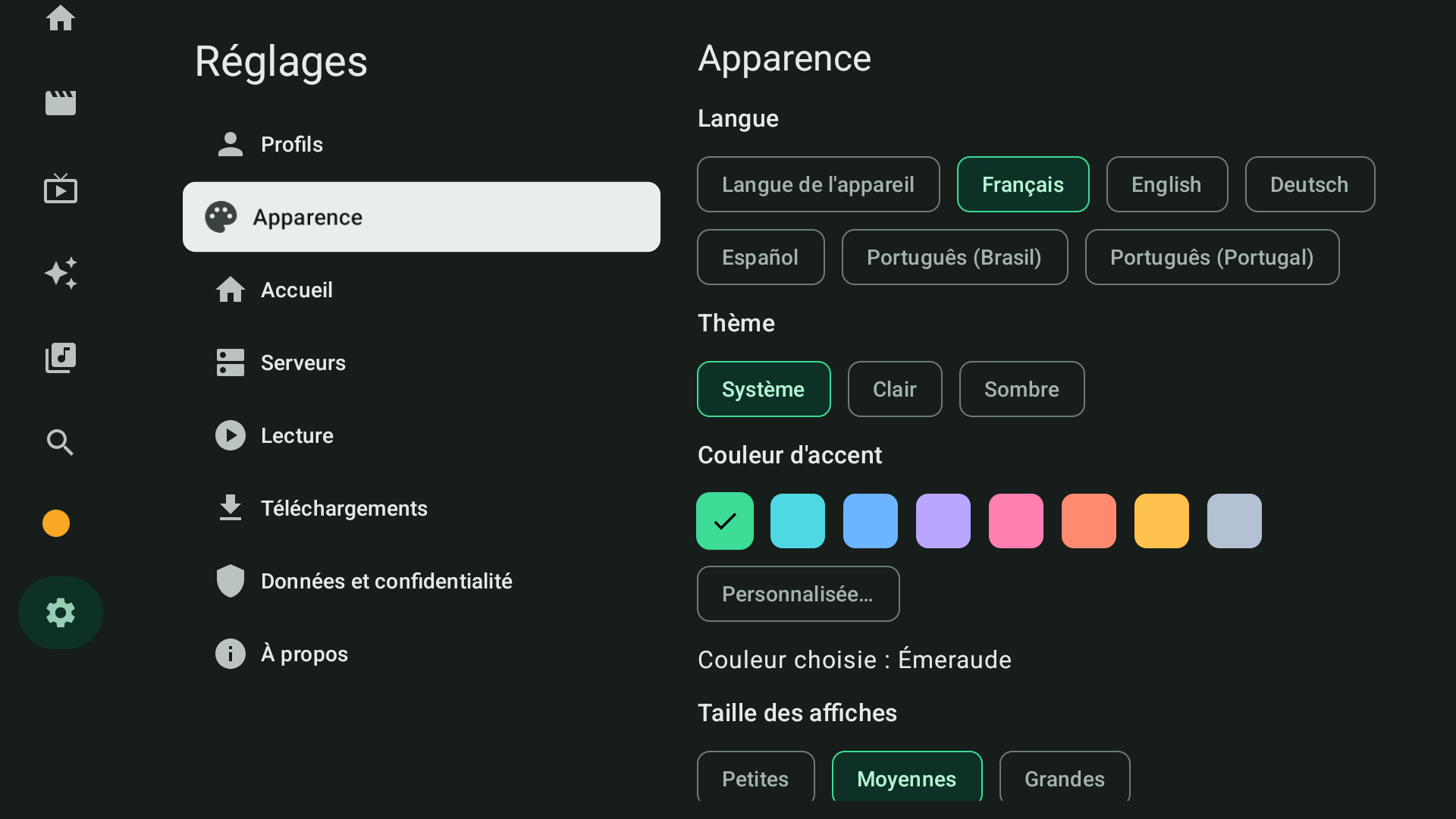
monclubvideo on Android TV: appearance settings on a dark background, with the theme choice and eight colour swatches, emerald selected.
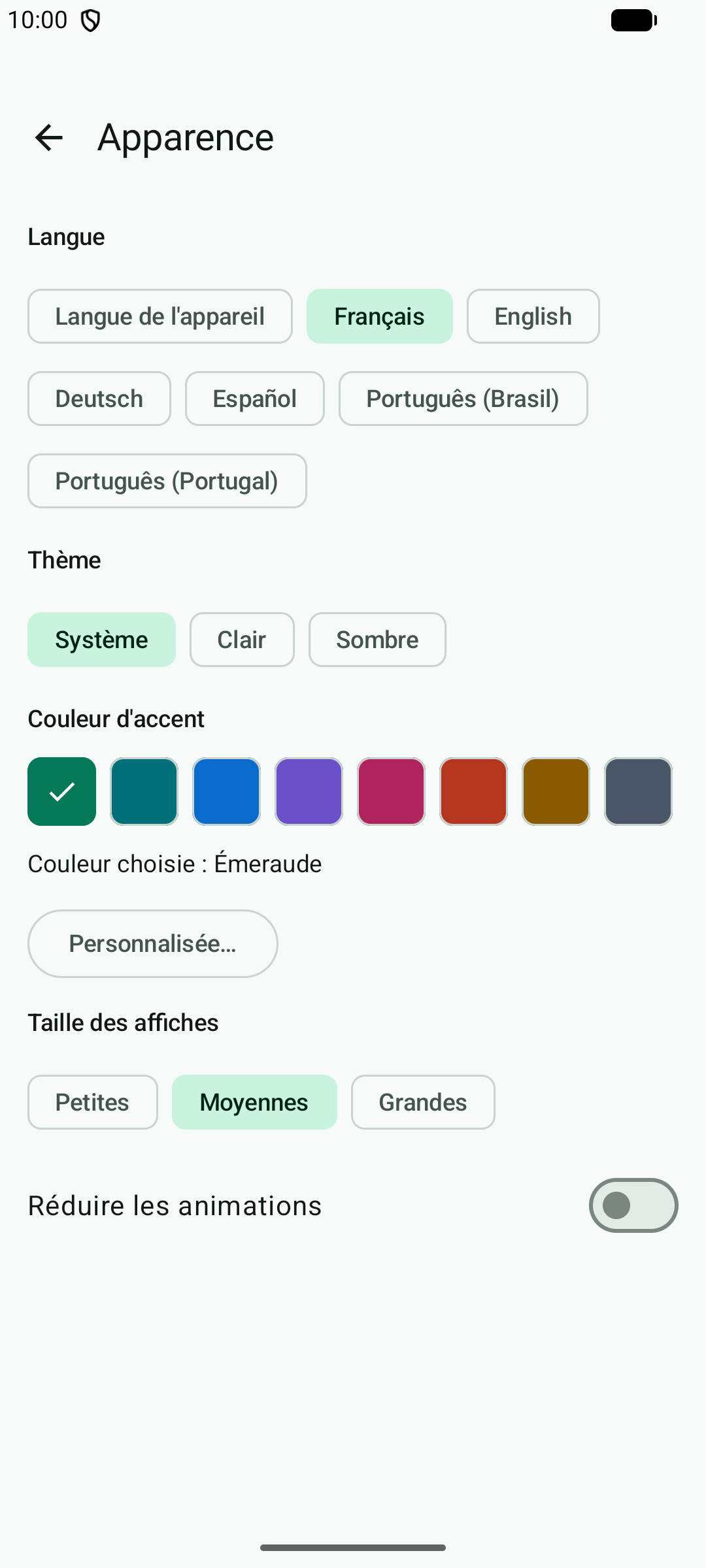
monclubvideo on a phone: the same appearance settings, in portrait and in the light theme.
The appearance settings, on a TV and on a phone.

What monclubvideo does

Several servers, one library
Add as many Jellyfin servers and accounts as you like. A film that sits on two servers shows up only once, and you decide which server is tried first for playback.
One for the TV, one for the phone
On Android TV and Google TV, everything works with the remote. On phones and tablets, the interface is built for touch and supports picture-in-picture. Each kind of device has its own APK.
Everything you need for playback
Direct play or transcoding, audio tracks and subtitles, playback speed, next episode. Your resume position and watched state are synced with the server the item came from. Films, series, anime, music, audiobooks, photos and Live TV.
Offline
Download a film or a few episodes to watch without a connection, over Wi-Fi only if you prefer. The server has to allow downloads for your account.
An interface in your colour
Light or dark theme, eight ready-made colours or your own from a palette of 65 shades. Each library can be mixed in with films and series, shown separately with its own tile, or hidden.
No tracking, nothing in the middle
No monclubvideo account, no usage statistics sent anywhere, no server between you and your Jellyfin servers. Local profiles protected by a PIN, sign-in details encrypted on the device. The details are in the privacy policy.

Download

The app is distributed as an APK, outside the app stores: one file for the phone, another for the TV. Releases are published on GitHub.

On a TV: install the free Downloader by AFTVnews app from the Play Store on the TV, open it, then enter monclubvideo.fr/tv.

Installing

  1. On a phone, open the downloaded APK and allow installation from this source when Android asks.
  2. On Android TV or Google TV, install Downloader by AFTVnews (link above), open it, enter monclubvideo.fr/tv, and allow the installation when Android asks. Alternatively, copy the APK to a USB stick or send it with adb install.
  3. On first launch, enter the address of your Jellyfin server, then sign in with your password or with Quick Connect. You can add more servers afterwards.

Frequently asked questions

Is monclubvideo free?
Yes. monclubvideo is free, with no ads, no in-app purchases and no subscription. You can donate through Buy Me a Coffee or PayPal, but you get nothing extra for it: no feature is reserved for donors.
Do I need a Jellyfin server?
Yes. monclubvideo is a player: it provides no films, no series and no server. It connects to the Jellyfin servers you already have access to, version 12.0 or later, with your usual account; no administrator rights are needed.
What is multi-server support for?
If you have accounts on several Jellyfin servers, monclubvideo shows them as a single library. A film or episode that sits on two servers appears only once, your resume position follows you, and you choose which server is played from first.
Which devices does monclubvideo run on?
Android 8.0 or later. There are two APKs: a touch one for phones and tablets, and one for Android TV and Google TV, driven by the remote. The TV app was developed on an emulator and has not yet been tried on many TVs, so feedback is welcome.
How do I install monclubvideo on a TV?
Install the free Downloader by AFTVnews app from the Play Store on the TV, open it, enter monclubvideo.fr/tv, then allow the installation when Android asks. You can also copy the APK to a USB stick or send it with adb install.
Why isn't monclubvideo on the Play Store?
monclubvideo is distributed as an APK, outside the app stores, from a public GitHub repository. Since version 0.4.0, the app looks for new versions itself and offers to install them, without losing your settings; from an older version, install the APK over the old one one last time.
What data does monclubvideo collect?
None. No analytics, advertising or tracking tool, no monclubvideo account, no monclubvideo server: the app only talks to the Jellyfin servers you have added and, to look for updates, to GitHub (a setting you can turn off). Your sign-in details are encrypted on the device, and everything the app stores can be exported or erased from the settings. It is all set out in the privacy policy.

Release notes

0.5.0

  • Settings sorted into categories, on mobile and TV: Profiles, Appearance, Home, Servers, Playback, Downloads, Updates, Data and privacy, About. On mobile, a menu opens one page per category; on TV, the categories are on the left and their settings on the right. No setting has gone and your choices are kept.
  • “Reset this profile's settings” now asks for confirmation, and sits with the deletion of local data under “Data and privacy”.
  • “Arrange libraries” can also be reached from the settings, under “Home”.

0.4.0

  • Built-in updates, on mobile and TV: at launch (at most once a day), the app checks GitHub for a newer version, offers it, downloads it and opens the system installer. Nothing is installed without your confirmation.
  • The automatic check can be turned off in the settings, under “Updates”, where a button also lets you check on demand. The privacy policy has been updated: GitHub is the only service contacted besides your servers.
  • From 0.3.1 or an older version, this update is still installed by hand, one last time.

0.3.1

  • Android 17: the app now asks for local network access. Without it, a server at home (an address in 192.168…, .local…) no longer answered and the search for servers on the network found nothing. The request appears when you add a server, and at startup if a local server is already registered; a server reached over the Internet is not affected.

0.3.0

  • Three new languages: German, Spanish and Portuguese (Brazil and Portugal), alongside French and English. The “Language” setting follows the device or the language you choose.
  • Add a server without typing: the Jellyfin servers on your local network are listed, one tap is enough. You can still type the address.
  • More reliable Quick Connect: on TV, the code appears right on the sign-in screen; a brief network drop no longer cancels it.
  • Profile photo: an image from your gallery (phone, tablet) or the one from one of your Jellyfin accounts. To use it on another device, send it to a Jellyfin account from your phone.
  • “Who's watching?”: as soon as there are several profiles, the app asks for the profile each time it opens, then its PIN if it has one.
  • Deleting a profile now asks for confirmation.

0.2.0

  • New green identity: the app is emerald by default, in light and dark themes, on mobile and TV. The logo turns green too.
  • Your choice of interface colour: eight ready-made colours or a custom one picked from a palette of 65 shades; a colour that is too light or too dark is adjusted to stay readable.
  • “Anime” tab after “Series”: file a whole library under “Anime”, or classify a single film or series from its details page.
  • Library placement: each library on a server is mixed into Movies and Series, shown separately, or hidden. The tile of a separate library can be customised (colour, image).
  • Audiobooks in the Music screen, with resume.
  • External players (“Open with…”) and Cast to a Google Cast device (mobile): two settings, both off by default. Cast has not yet been tried on a real receiver.
  • Session expired: the player, the details page and Home now say so and offer to sign in again.
  • TV: coming back from a details page, focus returns to the poster you opened.
  • Fixed: Movies and Series showed the same content after you opened one of them.

0.1.0

First release,

  • Several Jellyfin servers and accounts, sign-in by password or Quick Connect.
  • One library: the same films, series and episodes found on several servers are merged.
  • Home (continue watching, next up, recently added), libraries, collections, people, search with filters.
  • Video playback with audio tracks and subtitles, playback speed, next episode, synced resume.
  • Music, photos, Live TV.
  • Downloads for offline playback.
  • Local profiles protected by a PIN, export and erasure of local data.